-
Yeah realize about the options Was just an observation but wonder if it affect how TSR acts as I get changes of speed signs where there arent any, which logically must come from somewhere and the map is the logical placeLeave a comment:
-
Hi Hillbilly,
My byte 10 is set the same as yours bits 0,1,2,3,6 enabled. Highway_light is disabled though.
Also - ece is the European version but the only other option is nar (North American?).Leave a comment:
-
So I've noticed this tonight, travelling on one of the highways here the entire left shoulder was lit up with the high beam but the right side seemingly dark.Originally posted by BinChook View Post
Thanks for posting the alteration.
EDIT: Just had a look at my long coding in 4B. Byte 10 bit 3 is enabled (no description on it) however "highway_light" is set to "not enabled" in the long coding summary screen. Are you sure byte 10 bit 3 is the highway light?Last edited by phonebooth; 07-09-2019, 01:07 AM.Leave a comment:
-
Here Basically our equipment isnt capable of doing it in A VW Audi use a different system which can.Originally posted by Tob35 View Post
There are over 2000 adjustable settings in a VW and working out what does what is a big exercise
My car and most others only ever show ONE sign at a time,
Here is the post credits to the poster and it is relevant for any predictive system lights, signs, whatever
So "Fusion" mode is where the camera uses imaging data and data from the Sat NAV together to present on the Instrument Cluster. If they match, ie driving in a 60 zone and camera has seen 60 then it will show a "60" in the instrument cluster. If you go past a work sign for speed limited to 40 but normally 60, it will show 40 and a 60... Hence, "Road Sign Detection" just has the camera displaying speeds it has seen. With my SatNav, I can actually see the "map" traffic sign speeds on the bottom right hand side.... It would be nice to see both!
From the SSP document for my new Q7 4M the following provides some more clarity of how TSR works (sorry translated from German):
"The camera-based traffic sign recognition uses both recognized traffic sign by the front camera for driver assistance systems R242 and information on traffic signs. The navigation data are transmitted as so-called predictive route data and provide information on route ahead sections. Higher priority is given to traffic signs detected by the camera. If the recognition of road signs is inhibited by the front camera, tehn TSR is turned off by the system. This can for example be due to a heavily soiled or frozen windscreen and by leaves on the windshield, which greatly restricts the view of the camera"
As the camera systems and Nav systems share similar information, I believe the "fusion" mode doesn't work as it is policed by the camera which doesn't accept the traffic speed data from the SatNAV as the Australian region is not "allowed". I read on another forum where someone set their SatNav region to the UK and TSR worked in "Fusion" mode. Issue was map data didn't work for obvious reason...
As you can see from this SSP from Feb 2015, specific countries are listed:
The markets in which traffic sign recognition is offered were expanded by the following markets:
• European markets
• Albania
• Bosnia Herzegovina
• Estonia
• Latvia
• Lithuania
• Macedonia
• Moldova
• Montenegro
• Serbia
• Cyprus
• Markets in North America
• USA
• Canada
So for the "fusion" mode to work, we would need new firmware/dataset in the camera that includes Australia!
And post 28 from Darkshadow
as i mentioned in the Golf thread discussion - for fusion mode to "work properly" here in Oz, we need the associated map data - currently missing in the RoW maps.
so while changing the infotainment region to "UK", which uses ECE maps, might prevent the error "no road signs detected" or something, it will probably just pickup the camera detected signs, and not display any map signs as its not present for oz maps.Last edited by Guest001; 04-09-2019, 09:58 AM.Leave a comment:
-
Ahh.. I'm not that tech savvy. Don't even own a pc. Can you cut and paste the specific post?
I found the thread it's about Traffic sign recognition? Is that the one? I can't see anye where it explains the predictive DRL from the GPS like mentioned by Phonebooth.Leave a comment:
-
Traffic Sign Recognition - any luck enabling?
I t comes up correctly every time for me from both sets of links so dont know what you are doing
But am using a PC not a phone which often screws things upLeave a comment:
-
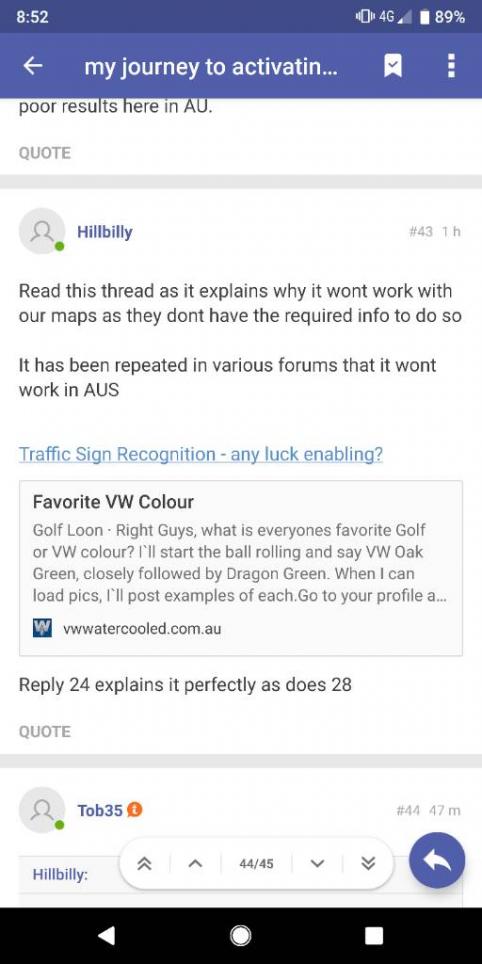
Read this thread as it explains why it wont work with our maps as they dont have the required info to do so
It has been repeated in various forums that it wont work in AUS
Traffic Sign Recognition - any luck enabling?
Reply 24 explains it perfectly as does 28Leave a comment:
-
There's another option in the coding for "predictive AFS" or similar (can't recall exactly) where it predicts your lights beam using your GPS position and mapped roads in the navigation system. Anticipates the bend and adjusts your lights as you approach it. I think some Passat members have tried but produced poor results here in AU.Originally posted by Tob35 View PostLeave a comment:

- If this is your first visit, be sure to check out the FAQ by clicking the link above. You may have to register before you can post: click the register link above to proceed, registering will remove the in post advertisements. To start viewing messages, select the forum that you want to visit from the selection below.
Your Supporter or Sponsor Subscriptions will expire soon.
We hope you will choose to stay with us!
This means you should apply for your renewal now to avoid
any disruptions to your membership whilst the renewal process is taking place! NOTE: If you have an auto renewing subscription this will happen automatically.

Leave a comment: